How I Built RoamLine: A Real-World React Native App
RoamLine is my in-development group road-trip planning app for India. This case study follows its Expo and React Native client, Express and MongoDB backend, route and membership model, Google Maps integrations, and the limits around live location and Android release status.
RoamLine is my own group road-trip planning app for India. I began with a problem I knew from coordinating trips: the route lives in one place, stop ideas in another, costs in a spreadsheet, and changes in a group chat. RoamLine brings those pieces into one shared trip plan. The product page currently labels it “In build,” so this is a case study of the implementation in the codebase, not a claim that the app has launched commercially or reached a particular number of users.
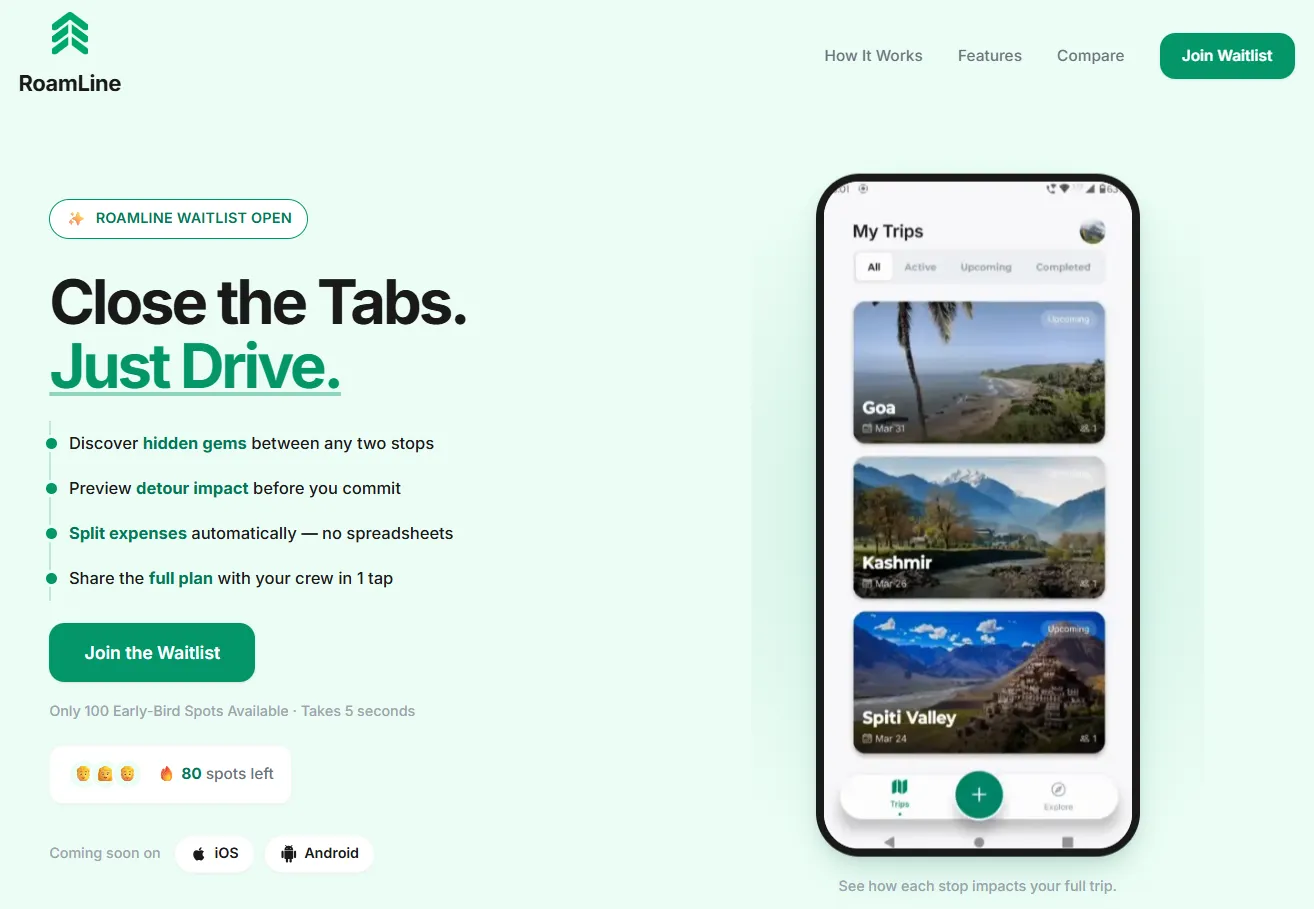
The main engineering lesson has been that a road trip is not just a line on a map. It is a shared plan with people, roles, vehicles, stops, expenses, changing connectivity, and location data that should only be shared when a participant chooses to share it.
See the RoamLine project page for the current portfolio summary. I am also documenting the broader choices in my guide to early-stage SaaS architecture.
Defining a useful first product
The product premise is simple: a group needs one place to plan a route from a start point to a destination, add intermediate stops, invite travelers, coordinate vehicles, and track shared trip spending. A map alone cannot represent who has accepted an invitation, who may edit a route, or which passenger paid for fuel. The app therefore treats the trip as a durable shared object with a lifecycle, membership, and related records.
The current code and product specification describe trip creation, accepted members and invitations, route-stop planning and reordering, vehicle management, expenses and settlements, place discovery, and trip updates. That is a meaningful first product surface, but it is not evidence of user adoption or validation. The right boundary for an MVP is the smallest complete journey a group can use: create a trip, invite people, agree on a route, and keep the plan accessible while traveling. Features such as a large discovery catalog or extensive offline behavior should earn their place through that core journey.
Why React Native with Expo
I use React Native with Expo, TypeScript, and Expo Router for the mobile client. The app is organized around screens and feature services: trip, vehicle, user, place, authentication, and tracking flows have their own code paths. TanStack Query handles server data in memory; authentication context owns the signed-in state; a shared fetch client attaches credentials and handles token refresh.
This stack lets the interface use native mobile capabilities while keeping most product code in TypeScript. Expo simplifies app configuration and build workflows. Native modules still matter: maps, Google sign-in, location, notifications, and encrypted local storage depend on native configuration and platform behavior. A feature that works in a development shell is not automatically proven in a standalone Android build.
React Native’s React Native networking documentation describes the Fetch API as a built-in option for requests. RoamLine uses a custom fetch client because the product needs common behavior around authentication, compatibility headers, request timeouts, and error handling. A single client also gives the app a place to coordinate refresh work when several requests encounter an expired access token.
Backend boundary and data flow
Expo / React Native screens
        | typed services over HTTPS, bearer access token
        v
Express API: auth -> validation -> controller -> service
        |                    |
        |                    +---- Google Places / Directions
        |
        +---- MongoDB via Mongoose
        +---- Cloudflare R2 for app-owned images
        +---- Google/Firebase ID-token verification for OAuth
        +---- PostHog analytics when configured
The mobile app owns presentation and user interaction. The Express API owns access checks, input validation, trip rules, and integrations that need server credentials. The backend is written in TypeScript and organized into routes, controllers, services, models, middleware, and validators. That separation keeps HTTP parsing out of product logic and gives each feature a place to enforce its rules.
The app sends JSON and multipart requests to the API over HTTPS. Authenticated requests attach an access token. When it expires, the client shares one refresh operation among concurrent requests and stores the rotated tokens through the storage service. On Android, app version and build headers allow the API to apply a compatibility policy before serving mobile routes.
Modeling trips, people, routes, and costs
MongoDB with Mongoose stores the product data. The trip document holds the core trip and route aggregate: name, start and destination, dates, accepted members, invitations and workflow state, plus embedded stop records. Keeping ordered stops with their trip makes it straightforward to validate and save a complete reorder in one trip update. A stop has route-specific information such as its place identity, coordinates, order, and whether it marks an overnight stay.
Accounts, vehicles, expenses, settlements, sessions, tracking sessions, and several short-lived caches live in separate collections. This reflects different access patterns and lifecycles: a vehicle can be reused across trips, an expense has its own contributor and settlement rules, and a tracking session must expire or be revoked independently. MongoDB is not a shortcut around data design; every query that touches shared trip data still needs to establish accepted membership and the caller’s role.
Trip access is based on accepted membership. The backend’s documented rule makes that membership the authority for actions such as administration, driver assignment, expense access, settlement, and listing. Invitations are a separate pending state, so receiving a link does not itself grant access to the trip. This distinction matters because a collaborative product has to treat the server’s permission check as the source of truth even when the interface hides controls.
Making routes editable without losing consistency
A route is represented as a start point, destination, and an ordered sequence of intermediate stops. The client can reorder stops, while the API validates the complete submitted order and persists it together. The route code also handles outward and return sections for round trips and keeps overnight markers aligned with route order. Those details prevent the UI from becoming the only place where route rules exist.
Google Places supplies search and place details; Google Directions supplies route information and metrics. The backend wraps those integrations and caches repeated route metrics and stop suggestions. In the current source, route-metric cache keys include the trip and ordered route shape, and a stop reorder invalidates route-derived caches before recalculation. Place fields and photos require care: Google data has provider policies and attribution expectations, so the app does not treat every response as content it can copy into permanent storage. For example, the API documentation describes transient photo resolution and strips unsupported external image URLs from durable trip writes.
External maps add cost and failure modes. Google documents usage-based billing for Places and the Directions API, so request patterns and quotas deserve attention. A user can change a route while a provider is slow, ask for the same route repeatedly, or receive a quota error. Caching a result with a key that includes the ordered stops avoids needless repeat requests, but cache invalidation must follow every route mutation. The service also rate-limits Places access and keeps provider error details out of public responses.
Collaboration and vehicle management
Trips can include invitees and accepted members, and permissions distinguish the trip administrator from other participants and assigned drivers. The mobile app represents invitation and membership states separately. On the backend, invitation and membership services own those transitions, and trip writes check the actor’s authority. This means an invitation accept operation is a meaningful state change rather than simply adding an email address to an array.
Vehicles are separate reusable records. A trip can assign a vehicle and driver, while the backend checks that the assignment is allowed for the trip’s accepted membership. Vehicle images are uploaded through the API and stored in Cloudflare R2; MongoDB stores an app-owned URL. This avoids using the application database as a binary file store and allows the API to enforce ownership before replacing a vehicle image.
Expense records model the payer, split type, participants, amount, category, and trip relationship; settlements are tracked separately. That separation matters when a participant leaves or trip membership changes. The server must define what happens to past financial records and which participants can read or update them rather than relying on a front-end calculation alone.
Google sign-in and session handling
On Android builds, the app uses the native Google Sign-In package and exchanges the resulting Google ID token with the API. The backend accepts Firebase ID tokens for the documented web/iOS flow and verifies raw Google ID tokens for the native Android flow. After verification it issues RoamLine access and refresh tokens. This gives product endpoints a consistent application session even though sign-in is delegated to an identity provider. The session model stores a hash of the refresh token, device metadata, expiry, and revocation state; the client’s local credential storage remains separate from the database.
Authentication work includes recovery paths: token refresh, logout, session revocation, and app compatibility checks. The user can lose connectivity or have a session revoked while a request is in flight. The client should surface a recoverable network state where possible and clear invalid credentials when the server says the session cannot continue.
Live vehicle tracking: foreground behavior and limits
Location sharing is an explicit trip action. In foreground mode, the app requests foreground location permission and samples while the app is active; the foreground watcher does not keep sampling after the app backgrounds. It writes samples into a bounded local queue and sends a batch when enough time or distance has passed. The current watcher requests native updates on roughly a 15-second or 25-metre threshold and sends the queue after about 30 seconds or 50 metres, subject to a valid session binding. Android background mode uses a separate Expo Task Manager location task with a foreground-service notification and its own permissions. That separation keeps the visible, app-open sharing path distinct from Android background execution.
The API creates a short-lived tracking session tied to a trip, accepted member, device, and authentication session. It validates membership and driver/admin eligibility again when receiving each batch, sorts and deduplicates samples, rejects stale or impossible readings from advancing route progress, and revokes sessions when the trip or relevant membership changes. Server receipt time is used for freshness. These checks matter because location is sensitive and must stop when the sharing relationship is no longer valid.
Foreground tracking depends on the app being active. A separate Android background task and permissions exist in the codebase, and project documentation describes a configuration-controlled staged rollout. Its environment notes list a closed-test build, Google Play background-location declaration, disclosure materials, and tester validation as rollout steps. I could not verify the current production flag, store review, or tester access from local source, so I describe the background path as implemented but its current availability as unverified. Android limits background location to protect battery life and requires appropriate disclosure and permissions.
Offline use and image storage
Travel creates unreliable network conditions, so the Android client includes an encrypted offline trip package path using SQLCipher-backed SQLite. The API returns an allowlisted snapshot of trip details, expenses, settlements, and owned image assets. It intentionally omits secrets, live coordinates, provider-derived route content, and workflow internals. Access uses expiring checks for the app build, session, and trip membership, and logout or access rejection clears account-scoped local data.
This is a deliberate boundary: offline reads can help a traveler consult an already authorized plan, but they do not silently turn stale local state into permission to keep writing. The offline write queue and synchronization policy are separate concerns that need explicit conflict rules. A stale member should not regain access merely because the device is offline.
For images the API uses Cloudflare R2 as object storage. Upload flows validate type and size, store an immutable object key, and persist only URLs owned by the configured R2 service. Replacement and deletion are coordinated with the database mutation so a failed write does not orphan the new object or remove the still-current one.
If your mobile MVP depends on maps, permissions, or offline access, those platform choices should be tested as part of the first release slice. Talk through a React Native MVP plan.
Android release work exposed real integration issues
One release-build issue documented in the project logs was a blank Google map. The source notes that Maps worked in Expo Go but failed in a standalone build because the project’s Google Cloud setup had not enabled the Android Maps SDK. The fix was to enable the correct API and keep the React Native Maps version compatible with the development client. The lesson was concrete: Expo Go may use native modules and credentials that are different from the standalone app’s own configuration.
The app configuration includes an Android package identifier, permissions, native Google sign-in, maps, notifications, and a build profile that produces an Android App Bundle. That shows release configuration exists. I could not verify a public Play listing, closed-testing enrollment, or a production rollout from the accessible source and docs, so this article makes no such claim. A build number and submission profile are not proof that a build is available to testers.
Analytics and operational visibility
PostHog support is present in the mobile app, including masked session replay and identity reset on logout, but analytics are disabled when the public project key is not supplied to the build. This is a configuration-dependent integration, not evidence of an active analytics dashboard or usage outcomes. The current release documentation says Sentry is absent from active mobile dependencies and build configuration, so I do not describe Sentry as an implemented monitoring system.
That distinction is useful when describing a project: a dependency, a configuration switch, a successful build, a store review, and a user-facing launch are separate evidence points. It is better to say exactly which one is verified.
What I would carry into the next mobile MVP
- Model permissions on the server at the resource boundary, then reflect those rules in the UI.
- Keep map-provider calls behind a backend service when credentials, caching, quotas, or response policy need control.
- Design retry and cache invalidation alongside the route mutation that changes the data.
- Treat location as an opt-in, time-bounded capability with visible status, revocation, and retention rules.
- Exercise native release builds early; a working simulator or Expo Go session does not validate app-store configuration.
- Write down what offline access is allowed to show, how long it remains valid, and how logout removes it.
- Report product maturity precisely: code, internal build, closed test, public listing, and commercial traction are different milestones.
For a wider view of trade-offs around managed services, modular backends, queues, and measured scaling, read AI SaaS Architecture: From Prototype to Your First 1,000 Users. If you are estimating the first release, see the AI SaaS MVP cost guide. Related work includes the RetroYugi case study, the Power Performance project, and the selected projects gallery.
Common questions about RoamLine
Is RoamLine publicly available?
The portfolio labels it “In build.” I could not verify a public store release or closed-test enrollment from the available source material.
Does RoamLine track a vehicle in the background?
Foreground sharing is implemented in the code. A background path exists, but its current production setting and Play review status are unverified.
How are routes and stops stored?
The trip document contains the ordered stop list and route sections; server validation saves reorders and keeps route-derived caches in sync.
What technologies power RoamLine?
The mobile client uses Expo and React Native. The API uses Express and TypeScript, with MongoDB/Mongoose and Google Maps services.
Does the app work offline?
The Android code includes an encrypted, access-checked trip snapshot for offline reads. This article does not claim unrestricted offline editing or sync.
Build a mobile product around real constraints
RoamLine is still in development, and its most useful lessons come from the edges: who is allowed to edit a shared trip, how an ordered route stays consistent, what happens when a map provider or network is unavailable, and when a person’s live location should stop being visible. A successful mobile MVP does not need a large architecture. It needs clear data ownership, explicit permissions, reliable recovery paths, and a release process tested on the actual platform.
If you are planning a React Native app or mobile MVP, I can help scope the first complete user journey and the native services it depends on. Book a mobile MVP scoping call or contact me.